
Templates
Real Estate Listing Presentation Templates
Beautiful, brand-locked listing booklets and feature sheets that win listings. Paste a URL, generate a multi-page PDF, impress sellers.
Inside the listing booklet
A professional multi-page listing presentation, auto-generated from a single URL. Every page carries your brokerage brand.
Cover
Hero photo, property address, list price, and your brokerage branding. First impressions that win listings.
Property Details
Beds, baths, square footage, lot size, year built, and key features. Auto-populated from the listing URL.
Photo Gallery
Professional photo layout showcasing the property from every angle. Photos imported automatically.
Property Description
AI-generated narrative that highlights the property strengths. Edit or use as-is.
Agent Information
Agent headshot, credentials, contact details, and testimonials. Pre-populated from agent profiles.
Back Cover
Brokerage logo, office address, compliance disclaimers, and QR code linking to the online listing.
Two formats, one brand
Choose the format that fits the situation. Both are auto-generated, brand-locked, and print-ready.
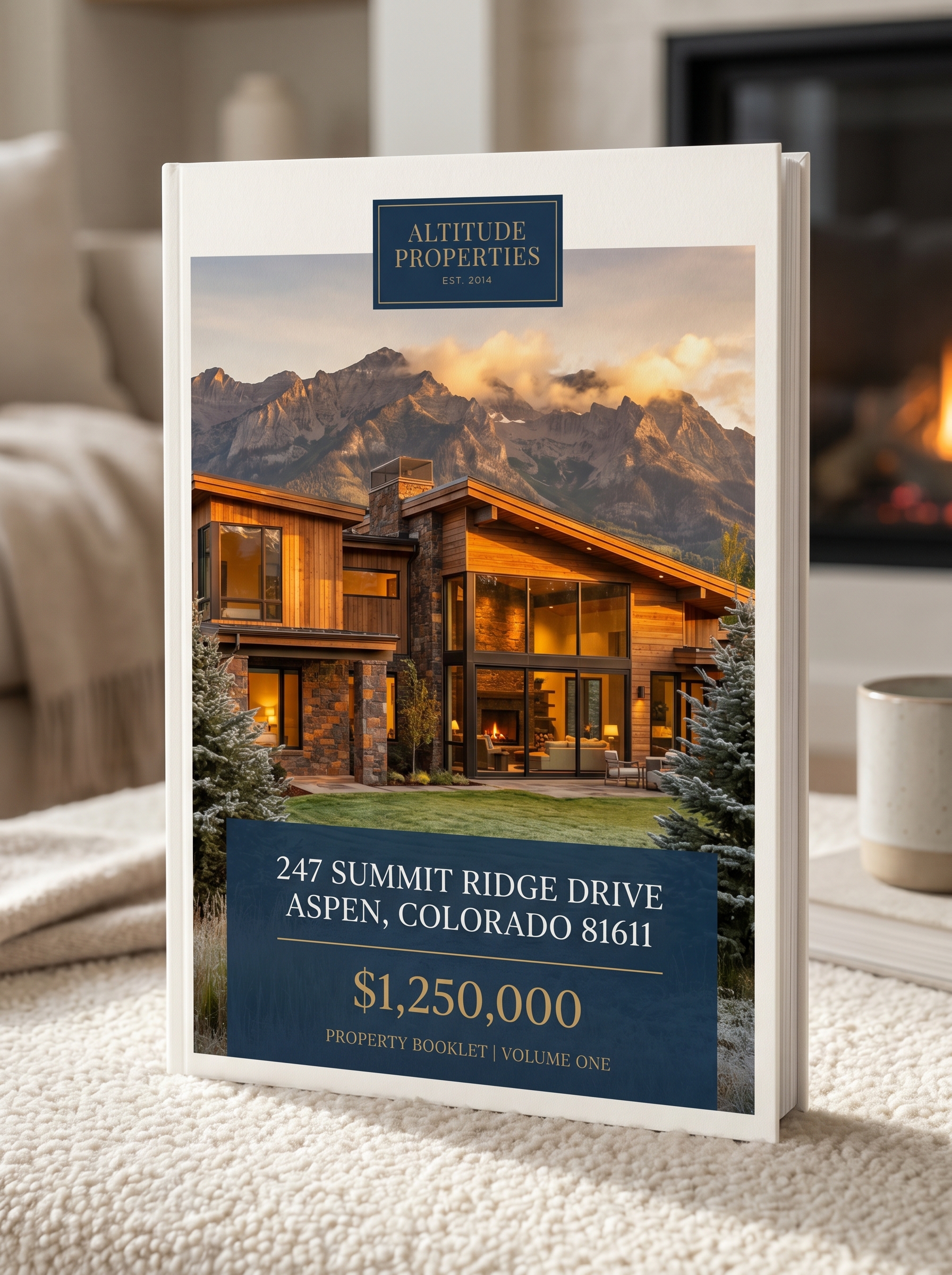
Listing Booklet
Multi-page presentation with cover, details, photos, and agent info
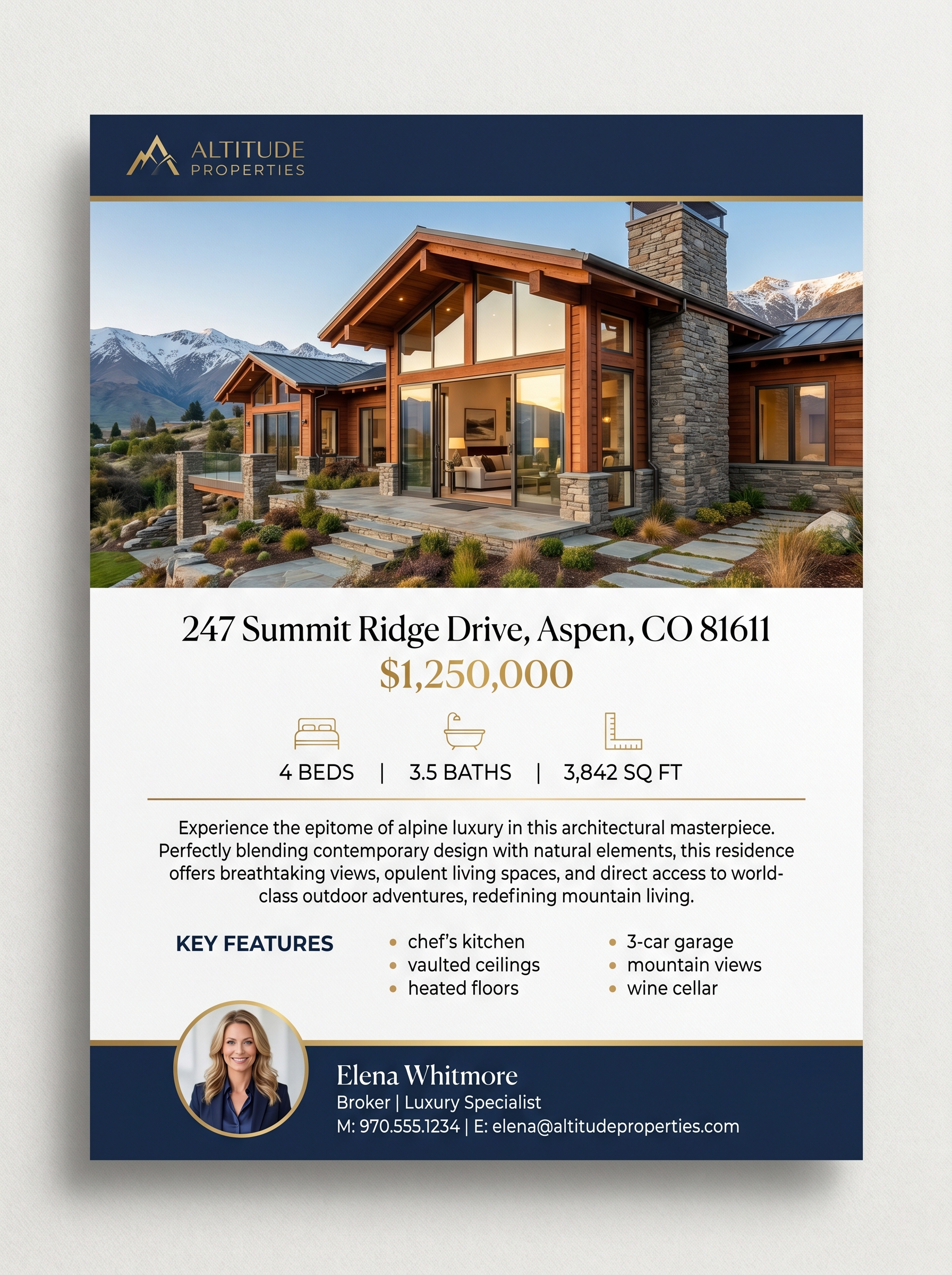
Feature Sheet
Single-page property highlight for open houses and handouts
From listing URL to presentation PDF in 60 seconds
Paste the listing URL
Property data, photos, and details are imported automatically. No typing, no copy-pasting from the MLS.
AI writes the narrative
One click generates a compelling property description. Review it, tweak it, or use it exactly as written.
Download the booklet
A multi-page, brand-perfect PDF ready to print or email to the seller. Your logo, colors, and fonts on every page.
The presentation that wins the listing
Sellers compare agents by how professionally they present the property.
Give every agent on your team a listing presentation that looks like it cost $500 to design.
Consistent quality
Whether your newest agent or your top producer creates the booklet, it looks equally professional. Brand-locked templates guarantee it.
Speed matters
When a seller wants to see a presentation today, your agent can deliver in 60 seconds. No waiting for a designer or fighting with PowerPoint.
Brokerage brand
Every listing presentation reinforces your brokerage brand with the seller. Your logo, your colors, your professionalism on every page.
Frequently asked questions
What should be in a listing presentation?
A strong listing presentation includes a professional cover page with hero photography, detailed property specifications (beds, baths, sqft, lot size, year built), a photo gallery, a compelling property description, neighborhood highlights, agent credentials and track record, and brokerage branding. AgentPress listing booklets include all of these, auto-populated from the listing URL.
How to create a listing presentation PDF?
With AgentPress, paste your listing URL. The system imports all property data and photos automatically. AI generates the property description. Your brokerage brand (colors, fonts, logo) is applied to every page. Click download to get a print-ready multi-page PDF. The entire process takes about 60 seconds.
What is the best listing presentation software for real estate agents?
For individual agents who want creative control, tools like Canva or Highnote work well. For brokerages that need brand consistency across all agents, AgentPress is purpose-built. Templates are brand-locked so every presentation matches your brokerage identity, and listing data imports automatically so agents spend 60 seconds instead of 30 minutes.
How many pages should a listing presentation be?
A standard listing presentation runs 4-8 pages. AgentPress listing booklets include 6 pages by default: cover, property details, photo gallery, property description, agent information, and back cover. This covers everything a seller needs to see without overwhelming them.
Can I customize the listing booklet with my brokerage branding?
Yes. Your brokerage admin uploads the logo, sets brand colors, and chooses fonts once. Every listing booklet automatically uses your brand on every page. Agents cannot change the branding, which means every listing presentation that leaves your office is professionally consistent.
Create a listing presentation in 60 seconds
Try the live demo. Paste a listing URL and see a multi-page, brand-perfect listing booklet generated automatically.
Cost Calculator
What does it cost to give every agent a listing presentation?
Plug in your numbers and see the difference between paying a designer per booklet and a flat brokerage fee that covers unlimited listings.
Your numbers
Adjust these to match your brokerage. Calculations update live.
Industry average is 6-12 for active agents.
Flyer, social graphic, postcard, just-listed mailer, etc.
What an agent typically pays a designer or admin for one piece.
Estimated annual savings
$51,612
- Current agent design spend
- $54,000 / yr
- AgentPress cost
- $2,388 / yr
- Recommended plan
- Growing ($199/mo)